
electronicopolis
Member
- Joined
- Nov 3, 2010
- Messages
- 6
Got the cable.... was hoping for an answer when I got home LOL, haven't checked back here all day. Oh well.
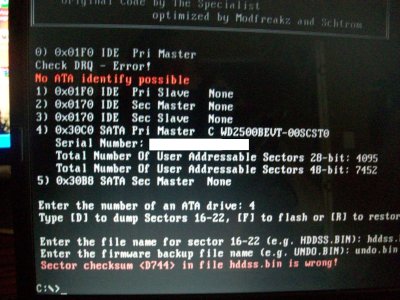
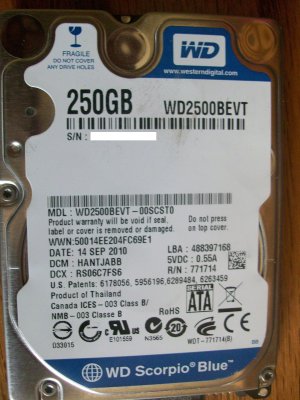 Screen shot was taken off my older hp laptop which gave me the upper and lower error lines. When trying to flash from my desktop I keep getting the lower error only. Desktop is running a asus p5kpl-cm motherboard with intel g31 chipset . Have searched thoroughly through both bios on laptop and desktop and found no turn offs like you suggested in your tutorial. And have tried to turn off anything I thought might be relative. At a loss and need some advice.
 First of all GREAT GUIDE! So, after looking at this thread for a while and seeing what errors people have been encountering and weighing the pros and cons, I decided to give this a try. I bought a scropio blue drive 250 GB made in OCT 2010.
I went through the hddhackr flash process but with it gets to the end instead of say congratulations....etc, I get a error message "Bad/Wrong Modelnumber offset!"
How can I fix this, I feel like I am really close to successfully finishing this so any help would be appreciated
Thanks
 [/URL]


The author has fixed the Bad/Wrong Modelnumber issue for the new drives in HddHackr_v1.25_Build_20101114. Damn good work by him. Sorted in less than a day!!
His notes:
* Extended Modelnumber String detection
(new hard drives have two Modelnumber strings)




