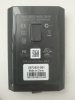
Hack a 250gb, 320gb or 500gb Sata harddrive to work in the Xbox 360 and Xbox 360 Slim

"I would highly recommend you also purchase a Western Digital Scorpio Blue Drive, you have nothing to gain by buying a more expensive drive."

Hi, thank you so much for the guide, I just had a doubt about this part of it, does this special format limits the drive to the specs of the original drives? (5400rpm, lower cache) Or are you saying that because there isn't a big difference using a faster drive?
 
So... Thanks for the guide. Does HDDHACKR work on Windows 11 at all? Can't get it to work on neither PC.
If it does not, what other ways there are for me, to get the new hard drive modified for xbox 360 s?
 
Hddhackr runs under DOS, which is the reason a bootable usb stick is required as per the guide, so we can boot DOS and not Windows.

That said you will probably struggle follow the instructions on a modern PC that is running Windows 11 as you will have to disable secure boot and switch the boot mode from UEFI to Bios / legacy. The SATA chipsets in most modern PC's are probably not compatible these days even if you do all that. You can try it, however based on my own experiences you will struggle.

Ideally an old PC / Laptop from the mid 2000's should work, if its any help the only device I own that Hddhackr actually functions on these days is an old MSI Wind U100 Netbook from 2008.

Depending on what your end goal actually is however it might just be easier to connect a usb hard drive to the Xbox 360, you can use up to 2TB drives with a fully up to date 360.

Hacking a Western Digital hard drive was historically the only option for cheap storage back in 2009 when I created this guide.
 
Good afternoon.
I'm sorry to bother you all. I had first ever 360 slim and i never had any xbox consoles before. I got that broken and I fixed it but sadly it had no HDD in it.
As any other person I started looking at options and I have lots of HDD available therefor I opted in on making my own using your guides. I chose 250GB WD Hdd with serial WD2500BEVT and from what I understand it should be ok.
I created bootable ms dos drive and inserted HDDSS.Bin as well as Hddhackr.exe files on it. I needed to swap my sata configuration to ide as hddhackr did not see my drive. Then I proceeded with flashing. That all went ok.
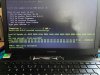
Issues started when I tried to create partitions. hddhacker stated that it created partition successfully then showed me visible on attached pictures errors. then when connected to xbox 360 slim system do not even see this or any other drives.Could anyone tell me how stupid I was exactly and what my small brain did not get?
Thank you very much.
I'm trying to get this running for my 9yo boy before Sunday.
My best regards
 

Attachments

  • IMG_1032.jpg
    IMG_1032.jpg
    5.8 MB · Views: 568
Last edited:
Did you use MSDOS or FreeDOS when creating the boot drive?

It looks like things have crashed due to memory errors on that screenshot, so could be possible the memory in that laptop is also bad.
 
Buying my first Xbox 360 S. My local market doesn't look that good. Will either 32000LPCX (320GB) or 2500BEVS (250GB) work?
 
A 2500BEVS should work. Although you can use any external USB drive up to 2TB in size with the Xbox 360 now. That might well be the better option these days, as people owning a device compatible with Hddhackr these days is becoming less common.
 
A 2500BEVS should work. Although you can use any external USB drive up to 2TB in size with the Xbox 360 now. That might well be the better option these days, as people owning a device compatible with Hddhackr these days is becoming less common.
Wait really? External drives will work? So I can just use my 1TB Seagate Barracuda in a USB-> SATA enclosure and run it from a USB 2.0 port? When did that update come out? Most forums about 360 drives, except for this thread, are from like 23011

As for hddhackr, if I understand it correctly all you need is DOS?
 
The ability to use a 2TB drive was added in a system update sometime in 2015, 10 years after the 360 launched. But yes update the 360 and 2TB USB hard drives drives will work. This guide pre dates that by a good 6 years, although if you want compatibility for original Xbox games then an internal hard drive is still required.

All you need is DOS for Hddhackr, however you might well struggle with EFI based motherboards / SATA chipsets in newer motherboards. It would be a try it and see situation, or find an older PC / Laptop.
 
Hi all,

Newbie here.my xbox360 (fat )hdd is not working anymore.there is a hdd in my old laptop .WD5000BPKT(500gb).my question is,is it enough to do the hddhacker part to work the hdd in my xbox360 or do i need to do the whole process? Can i do the hddhacker part using a laptop (SATA to usb cable )? Thank you
 
I thought I'd share my story with a WD5000LPVT that I had a hell of a time getting to work.

I had tried 4 different computers trying to flash the 500GB security sectors files, and it would never stick properly, never would be detected by the Xbox 360. After a lot of back and forth, and referencing dumped firmwares from a WD5000BPVT that did flash successfully and worked in an Xbox 360, I discovered something interesting.

Hddhackr 1.40 seemed to not be writing the security sectors properly, as when I would reflashed the 500GB security sectors, the resulting undo.bin (backup) file was a little bit messed up. I'll upload a zip file with the firmware from the LPVT (badflash.bin) and the good working firmware from the BPVT (BPVTFIRM.BIN).

The most obvious sign of the bad flash was directly seen in Hddhackr as well, the serial number of the flashed drive would show as a slightly truncated serial number of the original firmware, instead of the 500GB security sector's serial of J2260056GD9SXC.

I took a complete shot in the dark and decided I would just flash the BPVT firmware over to the LPVT, and this luckily worked. My only guess as to why that worked instead of just flashing the security sector is that the code that flashes the whole firmware versus just the security sectors worked differently on this drive, enough so to write everything properly and we get the correct serial and the drive showing up in the Xbox 360.

My hunch is that this is similar to what may be happening with other drives, like the WD5000LPLX that is mentioned as troublesome on the main post.

I'm not going to encourage anyone with trouble flashing their 500GB WD drives to use the BPVT firmware I'm sharing here, as I have no idea if the firmwares of flashed compatible drives should be identical for same drive sizes, but if you're willing to take a risk, you at least know my experience here.

I can confirm this works. I had a LPLX drive produced in 2018 and this was able to revive it after a failed flash
 
Hi all,

Newbie here.my xbox360 (fat )hdd is not working anymore.there is a hdd in my old laptop .WD5000BPKT(500gb).my question is,is it enough to do the hddhacker part to work the hdd in my xbox360 or do i need to do the whole process? Can i do the hddhacker part using a laptop (SATA to usb cable )? Thank you

This method requires an older pc that will run in IDE mode. this will not work over usb,
 
Hi all,
I have follow the instructions and flash my WD5000BPKT(500gb) using 500gb hdss.bin file.but when it's connected to xbox360 it's only show 20gb.why is that?
 
You have either accidently flashed the 20gb security sector and not the 500gb one, or have restored a backup of a 20gb partition 3, so essentially you have a 20gb partition on a 500gb drive.
 
You have either accidently flashed the 20gb security sector and not the 500gb one, or have restored a backup of a 20gb partition 3, so essentially you have a 20gb partition on a 500gb drive.
I only did the hddhacker part.i didnt do the backup part because my original hdd is already died. Can i fix by flashing undo.bin and flash with 350.bin?BTW im very sure i download the 500gb bin file.also i did the partition part in hddhacker 1.40 is this the issue?

Edit - i flash using undo.bin and reflash using 350gb bin.now it shows only 6gb in xbox360.

Do i need to format my 500gb hdd before the flashing?because after the flashing when i connect 500gb hdd to pc i can see all my old files and all my old partitions?
 
Last edited:
Hello community, i need you help.
I have Xbox 360E.
Half the time when I turn on the XBOX, I see an E68 error screen or a window with a frozen XBOX splash screen, which is displayed very incorrectly.
Reconnecting the HDD does not work. I tried to connect it to the PC, but it does not see the disk at all (I used a lot of programs for this). there is also no disk information in the BIOS.
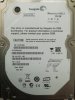
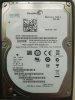
I decided to disassemble the plastic black box from the HDD itself and saw a Seagate disk inside and was honestly shocked by this.
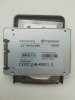
But i can't do with this HDD anything. I has from old notebook also seagate disk but with 120Gb and when i insert this disk in XBOX slot in storage no devices. Also trying connect SSD Trancend - the same problem. But when i connect this disk at USB Slots in XBOX i see 1 and 2 drive. But for me inportant create disk for slot my XBOX.
I read whats only WD can be used, but i see Seagate in box... really strange. What i can do with this?
 

Attachments

  • 120.jpg
    120.jpg
    2.1 MB · Views: 590
  • 250.jpg
    250.jpg
    2.2 MB · Views: 556
  • SSD.jpg
    SSD.jpg
    2.5 MB · Views: 486
If i buy new the same disk for xbox will it work without any issies?
 

Attachments

  • IMG_20220825_125634.jpg
    IMG_20220825_125634.jpg
    2.2 MB · Views: 569
Microsoft used Seagate drives (and other brands) for Xbox 360 hard drives over the years, however Hddhackr can not write a security sector to any hard drive except the compatible Western Digital hard drives.
 
  • Like
Reactions: ESP
Top Bottom