• Welcome to the Digiex Download Center, you are welcome to download anything you like here, no registration is required! We offer direct download links with no captchas or wait times.
    We do our best to ensure no content infringes copyrights, and provide a DMCA Takedown Request Form to request the removal of content from Digiex

Theme Hospital [Full Version Download + Multiplayer Patch + Windows Vista/7 Support]

Failure to Launch

Hey guys, I followed the instructions (and read the other thread posts) but still can't get Theme Hospital to launch.. it pops up with:

"Failure to initialise VRES256 screen"

then it closes. I'm assuming it has something to do with me needing to downgrade my screen res (I followed the other extra settings at the end of the instructions, but no joy), but even when I put that down to its lowest setting of Medium - 16 bit, it still doesn't work.

Any tips? I'm running Vista Business.

Cheers..
 
Last edited:
This is just a guess, but it may be that your monitor doesn't support the 640x480 resolution that theme hospital uses.
 
Ok I know that this has been "covered" before in here and I have read every post so far, but I am still having the "Need CDROM to play this game" problem.

My CGF file looks EXACTLY like the code that is posted on the first page (including the "\" at the end of hospital). I have also set it to run as administrator and in 95 compatibility mode. Yet I still get the "need CDROM" whenever I start hospital.exe . How do I fix it?
 
Ok I know that this has been "covered" before in here and I have read every post so far, but I am still having the "Need CDROM to play this game" problem.

My CGF file looks EXACTLY like the code that is posted on the first page (including the "\" at the end of hospital). I have also set it to run as administrator and in 95 compatibility mode. Yet I still get the "need CDROM" whenever I start hospital.exe . How do I fix it?

I too have this problem. People keep saying look at the first post etc. But we HAVE. And still the issue isn't resolved, no matter how we follow what people have told us to do.
 
I too have this problem. People keep saying look at the first post etc. But we HAVE. And still the issue isn't resolved, no matter how we follow what people have told us to do.

Exactly! I have read all the other posts and nothing solves the issue that we are having. Someone HELP!
 
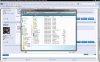
OK here are the 2 screenshots that I have.

The program works just fine, it starts smoothly and doesn't have any color problems. It just simply keeps saying "Need CDROM"
 

Attachments

  • SS1.jpg
    SS1.jpg
    280.8 KB · Views: 5,161
  • SS2.jpg
    SS2.jpg
    184.1 KB · Views: 2,683
Its not working as you have the game saved to C:\Users\Chris\Downloads\Theme Hospital

Yet in the hospital.cfg file you have told the game its located in C:\HOSPITAL\ which it is not.

Rename the "Theme Hospital" folder to "HOSPITAL" and move it to your C:\ drive, the game will work fine as it will find all the files where it expects to and not ask you for the CD.
 
OK that worked, thanks. I'm not sure how I didn't think of that in the first place, but all is good now
 
Hey,
I extracted to Vista C:\ (so along the top it reads: > Computer > Vista(C: ) >)
And when I check on the HOSPITAL application where it thinks it is (Under properties and location) it says C:\.

So why then, when I keep the command in notepad as INSTALL_PATH=C:\HOSPITAL\ does it still ask for the CD?
I tried changing compatibility to 95 - but no such luck.

Any help would be greatly appreciated.
 
It needs to be in C:\HOSPITAL\ which would be the same as Computer > Vista(C: ) > HOSPITAL

From what you say you have it in just C:\ which is why its not working.
 
I can get into game, but the mouse cursor lags and is not responsive. I have tried putting the compatibility settings on XP,Win 98 etc...and run as administrator, but that still does fix the mouse.

Does anyone know of a fix?
 
That's a pretty cool implementation. I gave it a go, if the original Theme Hospital works okay, then you're better off with that, but if you're getting some of the horrible issues some people are apparently getting, then you can use this to fill your craving.
 
Uh, problem...

When I play the game, I can't hire staff. The number of staff keeps showing up as zero. I think the game is corrupted or something, because I wasted half an hour and still no staff were available for hire.

Other than that, game runs fine.

Windows Vista 64 Bit Home Premium, no mods to compatibility or whatever.

EDIT: NEvermind. I am an idiot. I looked at my list of staff instead of the list of staff to hire. *facepalm*

Anyway, thanks for the open source!
 
Last edited:
You legend!

Hey man, ii have been trying to get hospital to work with no cd all morning ... via internet... and no luck untill i found this! got it working following bits on the post!! cheers man!

im no genius and that was easy :)
 
I must be some kind of uber-genius!!!!

I downloaded the game, followed the very simple and explicit directions in the first post, and everything is groovy!

I just wanted to give a great big THANK YOU!!! for making this available. I bought Theme Hospital lo these many years ago, and would dust it off and play it every once in a while, but I lost my copy somewhere....

I can hardly wait to try it again, its been a few years. Awesome game, and thanks again!!!
 
I did everything as instructed I can promise you, but I'm still having problems :( changed to administrator and compatibilty options aswell but no joy.

just keep getting the message 'failed to initialise vres256 screen' ??! someone please help! I'm using Vista.
 
Top Bottom