Hack a 250gb, 320gb or 500gb Sata harddrive to work in the Xbox 360 and Xbox 360 Slim

so i found this thread about a week ago, i followed everything to the T. when i get to the part where u enter in the file name to flash the drive is says the file is not there. also my bios does not have a disable feature for disabling AHCI. id really appreciate some help with this one, also i bought the same HDD you used. thanks much

In Windows enable disable folder option to hide extensions for known file types and ensure it is called HDDSS.BIN and not HDDSS.BIN.BIN

w8z6m58vtj0oxoczlojd.png
 
Hi,

I have flashed a 250GB WD 2500BEVS with the 120gb HDSS files about 2 months ago,

Now i want to take this HDD out and use on my Computer, but it only shows as 120GB, so is there anything i can do?

I have formated the usb key i used with HDDHACKR so my UNDO.BIN file is gone.

Can ayone help??

If you can get hold of an UNDO.bin from the same model drive you flashed you might be able to undo it, if not you are out of luck sadly.
 
I saved my undo.bin to my major archive drive. Just in case my buddy wants to use that drive for something else one day ;) Or for whatever reason I have to flash the drive back ;)

Though the drive I flashed was the 250Gb BEVT
 
Im a little Lost
Acording with this tutorial:
Tutorial: How to get 250GB hard drive to work in 360
Partition 3 hold the Xbox 1 Emulator, but in your tutorial, Partition 2 hold it :s

Also, here: Install Western Digital SATA Hard Drive to Your XBOX 360 - TIAO's Wiki
in the STEP, "Format the HDD in XBOX 360"
he say something about the link the serial of your xbox to the hard drive..
Why that step is Not in your tutorial??
Also, what about if i want sell the drive, i dont want put the serial of my xbox in that drive..
 
Im a little Lost
Acording with this tutorial:
Tutorial: How to get 250GB hard drive to work in 360
Partition 3 hold the Xbox 1 Emulator, but in your tutorial, Partition 2 hold it :s

The emulator IS on Partition 2, that tutorial also says it is on Partition 2... "Xplorer360 is still needed to backup up the Xbox 1 emulator on Partition 2"

Install Western Digital SATA Hard Drive to Your XBOX 360 - TIAO's Wiki[/url]
in the STEP, "Format the HDD in XBOX 360"
he say something about the link the serial of your xbox to the hard drive..
Why that step is Not in your tutorial??
Also, what about if i want sell the drive, i dont want put the serial of my xbox in that drive..

When you format any hard drive on the Xbox 360 you have to enter your serial number, thats normal dont worry.

If you sold the drive the person who purchases it would have to enter the serial number of there console if they wanted to format the drive, thats just how the 360 works.
 
wait, is necesary format the drive after u hack it and put in the xbox? because in your tutorial there is no info about that :P
 
wait, is necesary format the drive after u hack it and put in the xbox? because in your tutorial there is no info about that :P

Theres no info about formatting it as you dont need to, hddhackr does all that for you. Just follow the tutorial and enjoy :P

I'm saying if you ever do format the drive you have to enter the serial number of the Xbox 360 the hard drive is in, you would probably want to format the drive if you sold it to erase all your data off it.
 
if i want restore the the original firmware i need reflashing with the undo.bin, right?
but what about if i previously restore the partition 2 (xbox emulation 175MB archive Partition2.rar) on the drive, how i can delete that (the partition 2)? because the undo.bin is only the firmware
i want the disk as originaly come
 
I flashed a 250gb wd drive successfully but when I put it into my 360 it does not seem to recognize it. Is there anything I can do to verify that I did everything correctly? Is there a solution to this problem. Any help would be appreciated.
 
Nevermind folks I figured it out....it seems I didnt put the enclosure together correctly so it caused some sort of glitch. I put it in bare without closing it up and now it recognizes. Great tutorial btw :)
 
the xbx dont recognize the disk..
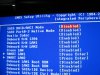
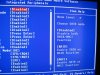
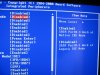
My motherboard is Gigabyte EP45-UD3P

Disk

img0615jx.jpg


Bios Options

IMG_0614.JPG

img0609eg.jpg


img0610f.jpg

----------------------------------

First i use the hddhackr and works perfectly, like in the tutorial, work perfect
after that, turn off, wait 10 second and turn on and turn off to remove the disk
Then i put the disk as slave because (using a sata cable and a sata power connector) so i try use that program "Xplorer360 Extreme" for restore the partition2 of Xbox 1 Emulation
So when the computer go in windows, i see a pop up message "installing divice drivers" i dont know if that drivers was installed in the main hard disk (my main computer disk) or in the hacked 250gb drive, also the drive dont appear in "my computer"
So i open that program fallow the tutorial and it let me restore the partition 2 (i download it from the first post.. a guy upload it).. so the program can detect the drive and windows not? and it take a few seconds.. then i shutdown the computer, remove the disk and put in the xbox and the problem begin.. there is no hard disk in the memory menu, but i feel the disk working, i mean i touch it and is On

After read a little i restore the firmware using the Undo.bin backup, i DONT know if this remove the previous partition 2
and i supose the hard disk is as the start

And hddhacrk again..
when i use the hddhackr, all work perfect, exactly like this picture
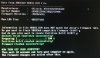
hddhackr6.jpg

then i turn off the computer, wait 10 second, turn ON, wait a little... shutdown again and remove the disk
i shutdown the computer with the power button, because there is no command in hddhackr to shutdown the computer..

then i connect the hard drive to the xbox360, go to the memory menu, and nothing, no hard drive :S

Maybe is problem of the hddss.bin, because is from 2009, and the actual drive are 2010

 
Devastador check my previous post i had the exact problem. Try plugging it into your xbox without putting the entire enclosure back together. I also unplugged everything except my hdmi cable and power.
 
what u mean? unplugged everything? i only have.. the xbox and the lcd xD

computer is in other place, im using the notebook with the battery

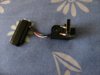
im using this to connect it (I have the case, but i dont want put it inside until i see it working)

IMG_0611.JPG


With the case or only the adapter (last picture) same result


Attachments

  • IMG_0612.JPG
    IMG_0612.JPG
    719.4 KB · Views: 1,313
well for instance on my console i use hdmi and the other video connector for external speakers and also my ethernet cable so thats what i meant by unplug everything. If you know for sure that the connector for the hdd does work but still doesnt detect then i dont really know ;/
 
well for instance on my console i use hdmi and the other video connector for external speakers and also my ethernet cable so thats what i meant by unplug everything. If you know for sure that the connector for the hdd does work but still doesnt detect then i dont really know ;/

i will use the connector of my original hard drive

Edit: Both Connectors work fine with my original xbox drive, but with the hacked one.. same problem
 
okay folks. I'm brand new to Xbox and these forums. I'm getting ready to take a crack at flashing a 250 GB scorpio blue HD and I have one or two noob questions:

1. Since I'm brand new to xbox (haven't even cracked the seal on the box yet) and don't have any saved games (or original xbox content for that matter), is there anything else I really need to do after flashing the drive using hddhackrr? The tutorial talks about Xploroer 360, backing up and restoring partitions, etc. but it seems to me that's all dealing with restoring existing gaming content. I have none. Is there anything on a brand new shipped drive that I need to carry over to the flashed one?

2. Been reading in the forums about concerns with MS locking you out of online content if you have a flashed drive but that doesn't really seem to be an issue. Aside for that concern, are there any other operating limitations I should be aware of with a flashed drive? Could I expect it to operate jast as if I purchased a 250 GB xbox drive from MS?

Thanks in advance for your help!
 
That's pretty Messed up for M$ to do that. Should operate normally otherwise. Follow the tutorial, and slap it in your Xbox. HDDHackr prepares even a new drive for the Xbox. The Xbox will take it from there ;) I've done it ♥ Just follow the Post to the letter ;)
 
I've done all in the tutorial, worked fine, but my problem is, the HDD is a WD5000BEKT, how can i flash for 500GB, Xbox 360 only recognize 250GB, solutions??
 
From what I understand, Xbox (360) is currently incapable of larger than 250Gb. Perhaps later M$ will release other drives 320Gb+, and we'll have a template for modifying the appropriate drives ;) Or an expert will simply know how to fool the xbox ;)
 
From what I understand, Xbox (360) is currently incapable of larger than 250Gb. Perhaps later M$ will release other drives 320Gb+, and we'll have a template for modifying the appropriate drives ;) Or an expert will simply know how to fool the xbox ;)

Ty for the info. I'll wait then...
 

About Digiex

Digiex is a technology and gaming forum, founded in 2004 by InsaneNutter and Nimrod. Digiex has served the internet community with breaking news, detailed guides, exclusive downloads and a popular discussion forum. A small, friendly community of like‑minded people has developed over the years. People are encouraged to register and participate in on‑going discussions.

Get Social

Top Bottom