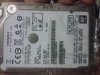
Hi InsaneNutter & Community.
I was able to get the WD 500GB LPLX drive to work (partially, as a 320GB drive).
Maybe the data below will help someone. Thanks for your hard work.
SUMMARY :
____SUCCESS (Partial) with WD5000LPLX
____HDDSS500.BIN flash : FAIL
____HDDSS320.BIN flash : SUCCESS
WHY a 320GB flash onto a 500GB drive ??
My XBox 360 S does NOT recognize the HDD when flashed with the 500GB security sector, but DOES recognize the HDD perfectly when flashed with 320GB security sector.
Educated Guess :
Western Digital probably made some changes in the architecture of the drive itself over the years. So some LPLX models work; some don't; based probably on year of manufacture or the subversion (the numbers after the dash).
SPECS :
Console : XBox 360 S (Slim)
PC : Laptop Dell E6510
BIOS : SATA port running in ATA mode with Legacy boot
Main OS : Windows 7 x64 SP1 installed in ATA/Legacy mode
USB : Generic 2GB MicroSD Card in a USB Adapter - doesn't really matter
HDD Information :
____Physical Drive Model: WD5000LPLX-75ZNTT0. 500GB. 7200RPM.
____Manufacture Date 22 OCT 2015.
____hddhackr v1.40 shows that the HDDSS320.BIN is actually from a SEAGATE Drive? (ST9320325AS)(5400RPM, 3Gbps, According to Google)
____Similarly, the HDDSS500.BIN flashes the firmware to HITACHI (HTS547550A9E384)(5400RPM, 3Gbps, According to Google)
____So with both the 320GB and 500GB Xbox360 firmwares, we lose HDD speed. Lower RPM. Lower SATA throughput. Sad.

____Recommendation :
____LONG TERM storage on a large EXTERNAL HDD / SSD / Flash Drive.
____SHORT TERM storage on the internal HDD. Main Performance Bottleneck will likely be the interface (Internal 3000 Mbps over SATA 2.x, vs External 480 Mbps over USB 2.0). Although some say that an external flash storage (USB flash drive / SSD) is still faster? (Unknown. Will test.)
FLASH METHOD :
What DID (finally) Work :
Followed the guide with hddhackr v1.40 to flash HDDSS320.BIN onto the 500GB drive.
Just booted up into the USB, ran hddhackr 1.40, selected the HDD, flashed the HDDSS320.BIN, confirmed, let it finish, and pressed / held down the power button to turn it off.
No need to create partitions after the flash.
hddhackr 1.40 did NOT auto-shutdown or auto-restart.
After shutdown, plugged the HDD into XBox. Done.
What did NOT work :
1. At first, I used hddhackr v1.40 to try and flash HDDSS500.BIN onto my WD 500GB LPLX drive. The backup 'dump' failed. Bad sign. But I decided to risk it and try the flash since the UNDO.BIN would be created anyway. hddhackr said that the flash was successful, and an UNDO.BIN was created. HOWEVER, XBOX 360S wouldn't recognize it. So I tried to REVERSE the process. Well, trying to 'restore' UNDO.BIN failed. Trying to 'flash' UNDO.BIN also failed. What was also weird was that hddhackr v1.40 showed that the 'Manufacturer' and 'Serial Number' were changed from Western Digitial to HITACHI, but the 'Firmware Revision' was still Western Digital (WHAT?!)
2. So I tried ALL other versions of hddhackr that I could find to restore the UNDO.BIN (hddhackr versions 1.22, 1.25, 1.30, and 1.40). The Restore option failed. The Flash option also failed. Depending on whether I chose the 'Restore' or 'Flash' option, the ERROR would be either that the UNDO.BIN's File Size, or the Checksum, was wrong.
3. So I said that there's no going back. I can only go forward. Sorry, I don't know which hddhackr version worked, but eventually, the 'Firmware Revision' changed from Western Digital's original firmware to the Hitachi firmware from HDDSS500.BIN. But STILL the XBox wouldn't recognize it. I could see the partitions in Xplorer 360 (You'll need msvcr71.dll in the same folder as the Xplorer .exe in order to make it work in Win7 x64 SP1 - you can get it from the Xport 360 application on gtatemp (
https://gbatemp.net/download/xport-360.12561/download) ), but the partitions themselves were empty (is that normal?). In Windows and Linux, the disk was blank. Just for testing, I even created a brand new Partition Table with FDISK.EXE (Found in FreeDOS x86) and a FAT32 Partition with FORMAT.COM (Found in Windows ME)(Why WinME? Because the Bootable USB Creator Tool in the guide uses a WinME Emergency Disk format). Still, XBox would NOT recognize it. It's like there were parallel file structures - one that the XBox can see, and one that a PC can see, but they don't seem to conflict? Weird.
4. In any case, I couldn't go back to Original state and use the drive with fast specs (7200RPM; 6Gbps; Original WD Firmware) in a PC because the UNDO.BIN created by hddhackr 1.40 was corrupt, and going forward to an XBox format (5400RPM; 3Gbps; 500GB Hitachi Firmware) was also useless since it wouldn't recognize it. I was STUCK in between.
5. BREAKTHROUGH - Then I remembered the ERROR messages when trying to restore/flash the UNDO.BIN - wrong file size / bad checksum. I also remembered that some larger 750GB drives can be flashed down to 500GB with HDDSS500.BIN. So I thought that maybe WD did something with the architecture and there's a mismatch with the PHYSICAL layout of the drive. So I decided to downgrade the 500GB to 320GB ... and VOILA! ... SUCCESS!!
Hope this helped people with WD 500GB LPLX drives.
The problem (I think) is not HDDHackr.
The problem (I think) is not your XBox.
The problem (I think) is Western Digital changing the internal hardware and subversions of the drive, while still keeping the base model number (WD5000LPLX) the same.
Thank you for the feedback, I've added the drive to the compatibility post on the first page. Cheers!
Just bought a 500gb LPLX drive. Has anyone got this variant of the Scorpio working or did I just waste $50 on ebay.
I just bought 3 made in aug 2019, they all flash but none of them show up on any 360????????? i flashed a 320gig and it works fine.
Did You get your LPLX working? I'm asking because I had two of them: The first one worked, the second one didn't...