


Professor Oak
Pokemon Professor

About the 3DS Virtual Console GF Mew Distribution:
The Virtual Console (VC) Game Freak Mew was distributed for a limited time in Japan and England.
Japan:
In Japan the Mew was distributed to those who purchased a 20th Anniversary Pokemon Clear 2DS (Red, Green, Blue & Yellow) that came bundled with a collection ticket.
The ticket could be taken to a participating Pokemon Center in Japan, where the player could receive the Mew via trade.
England:
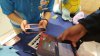
In England the Mew was distributed at Nintendo UK’s Pokémon Festival, which took place on 22nd November 2016 at The Old Truman Brewery, from 5pm to 10pm.
Tickets for this event were very limited and required to have a Mew traded over to you. Nintendo UK teamed up with a selection of partners to offer chances to win an invitation to the event.
Technical Info:
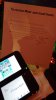
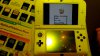
This is the Japanese and English Mew Trading App used at the respective events in each country. The Mew trading app can be installed on any 3DS / 2DS console with custom firmware installed, this 3DS can then be used to trade a Mew over to another 3DS / 2DS console.
Essentially this distribution is a GameBoy emulator with a save state containing the event Mew in the party ready to trade. Once the Mew is traded you simply tap the bottom screen, restore the save state, and you are ready to distribute another Mew.
All Mew from this event are identical.
Download:
Pokemon 3DS Virtual Console GF Mew Distribution - JPN
Pokemon 3DS Virtual Console GF Mew Distribution - JPN - Save State
Pokemon 3DS Virtual Console GF Mew Distribution - ENG
Pokemon 3DS Virtual Console GF Mew Distribution - ENG - Save State
Equipment required to make use of this distribution on real hardware:
- Two 3DS or 2DS consoles
- The console distributing the Mew must have custom firmware installed
- The console receiving the Mew must have own Red, Blue, Yellow (Or Green In Japan) which can be purchased from the Eshop.
To Install the 3DS Virtual Console GF Mew Distribution:
To install the Mew distribution we will use FBI, an open source title manager for the 3DS. If you have CFW on your 3DS part of setting this up will have been to install FBI.
Copy the seed 000400000018C400.dat or 000400000018C500.dat to the fbi > seed folder on your 3DS's SD card. If these folders do not exist you can create them:
Next copy the 000400000018C400 - Mew Trading App (J).cia or the 000400000018C500 - Mew Trading App
 .cia to somewhere on the 3DS's SD card, such as fbi > cia.
Now you can simply put the SD Card back inside your 3DS and use FBI to install 3DS Virtual Console GF Mew Distribution.
To Distribute 3DS Virtual Console GF Mew:
To distribute the 3DS Virtual Console GF Mew load up the distribution from the home screen and touch the bottom screen to open the Virtual Console menu:
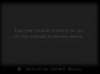
Click "Load restore point":
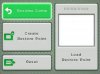
Click yes:
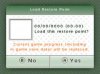
The restore point will load, press "A" to return to the virtual console menu:
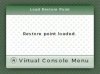
Resume game:
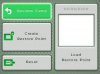
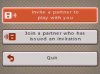
Now simply undertake a trade as normal and invite the 3DS you wish to distribute the Mew to trade with you, like any other Gen 1 Pokemon link trade:
Congratulation you have distributed this Mew:
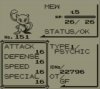
You can then simply load the restore point and distribute another Mew.





