Easily update your Jtagged Xbox 360 to Kernel / Dashboard 12611 with FbBuild 0.11

Disregard my last post man, I opened up my XBR 8955 dump in flash tool and I noted the bad block relocation, and I relocated the same 2 blocks to the end on the FB 12611 image. Reflashed in xellous and all is good now! Dash booted up fine, but LA Noire requires 12625 still so I guess I'm picking up dashlaunch. Once again man thanks for the great tutorial! Might want to add a reminder tidbit for anyone with bad blocks on their NAND to relocate them in case they forget to like I did.

Thanks again!
 
I have tried this today on a xenon xbox 360 with dashboard update 9199- my xbox will not work and this guide just cost me money...... anyone looking to buy my jtag? because I have no idea how to fix this
 
excuse me, If the instructions are followed to a T- and there is a useless xbox laying around afterward I wouldn't say its my lack of attention.... if anyone could help me I would appreciate it.... black screen- xbox will not will not sync with controller. nothing apparently going on. I would appreciate any positive input.
 
You have not wasted any money as your 360 can be fixed, you either need to flash the nand using a USB or LPT nand Flasher.

This is what the person who Jtagged your 360 will have originally done, its actually pretty hard to totally ruin a Jtagged 360 unless you run a proper system update which blows an e-fuse stopping the Jtag hack from working.

The hard bit about using a USB / LPT flasher is you need to solder some wires to the motherboard, however with a setup like that you can always recover from when a flash goes wrong like it has in your case.

Now before you do anything else, do you see Xell / Xellious when you power the 360 on with the eject button (you will need either the vga or component cables connected to see it) If so then you can re flash without even having to open your 360.
 
help guys

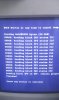
i have a xenon (16mb) when i dump the original nand to file i keep getting some errors. what should i do.am soo srry am a complete noob
 

Attachments

  • IMAG0019.jpg
    IMAG0019.jpg
    1,004.3 KB · Views: 1,849
You have some bad blocks, that's normal especially for old Xenon's

You should be able to extract the files you need from the nand as normal, when you flash your new FreeBoot I would do so with Nand Flasher 360 as its more reliable for re mapping bad blocks.

It's better than Flash 360, just was not released until 4 months after this tutorial was created.
 
thanx for the quick reply .so should i use nand flasher 360 to correct the bad blocks before going ahead to use insanenutter's tutorial? by the way am on 8955 dashboard
 
guys i need your help.i used nand healer and realized i didnt have bad blocks but some ecc errors how do i fix this.pls help. complete noob.
 
its the nand i backed up using flash360.i tried to repair the nand using jtag tool but when i downloaded the clean xenon, it says the clean nand doesnt match with my bad nand. i just want to update the console.pls help
 
Your original Nand will not match the one dumped from your console as that will be your FreeBoot nand.

Also as long as you can extract some key files out your nand and have your CPU key it will be fine.

Update with the latest FreeBoot and it will map bad blocks for you and set the nand up exactly how it should be i believe (going from memory anyway), there is a mini tutorial on that here: https://digiex.net/downloads/downlo...ernel-13599-jtagged-xbox-360-a.html#post48096 with downloads at the top of the post.
 
thank you soo much insane nutter.i was successfully able to update to 13955 dashboard with no problems.thank you again u ar the best
 

About Digiex

Digiex is a technology and gaming forum, founded in 2004 by InsaneNutter and Nimrod. Digiex has served the internet community with breaking news, detailed guides, exclusive downloads and a popular discussion forum. A small, friendly community of like‑minded people has developed over the years. People are encouraged to register and participate in on‑going discussions.

Get Social

Top Bottom