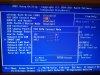
I have been thinking of trying this again on my drive, as I have a new PC to try it on. Any idea if it will work on an ASRock Z390 Gaming Motherboard? Chipset is Intel Z390.
It's a pretty new motherboard, I wouldn't be hopeful based on my own experiences with newer hardware. The best thing you can do is try and hope the best.
Hello, the Western Digital WD Black WD5000LPLX is not working.
HDD Date: October 26th, 2015 is the HDD too new?
It is not recognized by the xbox 360, but the flash was successful.
LG Ivan
Can you turn AHCI off? even though the Bios is set to IDE only? some newer PC's seem to suggest the drive is flashed ok then have issues sadly. The only device I have I know hddhackr still works with is an old Laptop from 2008.
You can use up to a 2TB USB drive with the Xbox 360 now for game / save storage just so you know. I kinda think that's a more viable option these days vs 500gb internal, unless you really want nothing to be on an external drive.
That was my mistake. I put it wrong. AHCI is set to IDE. The PC with which I made the flash last year performed a 250gb, 500gb and a 320gb hard disk from WD flash without any problems, but something is different this time or the WD5000LPLX is causing the problem. I don't have an Xbox 360 slim but the fat model. I don't want to use an external HDD. I don't know how it works with the 2 tb flash only the hddss.bin (500gb) Yesterday all data on the 500gb WD5000LPLX was completely deleted ( dariks boot and nuke) were still files from an old Windows system. (ebay) I will try to flash the WD5000LPLX back to the original state with the undo.bin in the hddhackr file and then flash the hddhackr again for the Xbox 360 to perform. After completely deleting yesterday, I still see the Hitachi disk in the bios so everything should have worked out. I will also try another hard drive case from the Xbox 360 fat model to rule out all errors.
From what you have said it certainly seems like it could be an issue with the newer WD Black WD5000LPLX. I'd certainly be interested to know if you can flash another drive though.
I just tried the WD Black WD5000LPLX again Flashing back to the original state without success the UNDO.BIN file was faulty. I'm not sure if I can set a drive back with Hddhackr, maybe I made a mistake. Now the renewed flash was also successful but in my Xbox 360 console I did not recognize several HDD-360 cases (Fat model) of the Xbox 360 and also two different Xbox 360 consoles without success. Will now get me a new WD BEVS or BEVT and flash it. I will report again.
This tutorial will teach you how to hack a standard Western Digital 2.5" Sata hard drive so it can be used by the Xbox 360 and Xbox 360 Slim. Normally you can only use Microsoft approved hard drives which are significantly more expensive, costing up to 3x the price of a normal 2.5" SATA hard drive.
This tutorial focuses on hacking a 250gb drive, which was the largest drive possible in 2009 when i created this tutorial, however it is now possible to hack drives of the following sizes: 500gb, 320gb, 250gb, 120gb, 60gb and 20gb. Simply follow this tutorial and download the security sector that matches the size of the hard drive you wish to hack.
500GB security sector added on 04/03/2014
320GB security sector added on 20/09/2011
The Backstory:
After having a 20gb drive for the last 4 years and getting annoyed about having to constantly delete stuff I did something about it. I purchased a nice 250gb laptop hard drive for £30 and used hddhackr on it to enable the 360 to use it.
I think doing your own drive is the way to go as Microsoft charge £89.99 just for the 120gig drive here in the UK, at that price I could make 3x 250gig drives for the same price!
This guide will show you how I did that, its worth mentioning that you can also hack a 20gb, 60gb and 120gb, 250gb, 320gb and 500gb drives, however when creating this tutorial 250gb was the largest drive possible to hack. I personally think hacking a 500gb drive is now best value for money.
Note to Xbox 360 Slim owners:
If you have an Xbox 360 slim you can also hack a hard drive using this guide and connect it directly to the console, have a look at the end of the guide for information on how to connect your hacked drive to an Xbox 360 slim.
Lets hack an Xbox 360 hard drive:
Ok lets get started, first you will need to buy a hard drive to use in the Xbox 360.
Hddhackr 1.40 will only work with the following Western Digital drive series: BEAS/BEVS/BEVT/BPVT/LPVT/BEKT/BJKT/BPKT/BUDT/HLFS/BLFS
You can not use another make of hard drive for this hack, it has to be one of the supported Western Digital drives.
I purchased a 250gb WD Scorpio Blue Series drive (WD2500BEVT) for around £30 at Ebuyer
For those of you who live in the States, you can get the same drive for around $47 at Newegg.
I would highly recommend you also purchase a Western Digital Scorpio Blue Drive, you have nothing to gain by buying a more expensive drive.
Creating a bootable USB Drive:
The first thing you will want to do is create a bootable USB drive, for this I used a tool called Bootable USB Drive Creator Tool.
Unzip both to the USB drive you just made bootable
Be sure to rename the HDDSS_250GB.BIN to HDDSS.BIN if you are hacking a 250gb drive or HDDSS320.bin to HDDSS.BIN if you are hacking a 320gb drive.
The end result should be something like this, don’t worry you will not have an UNDO.BIN yet.
Hacking the Western Digital hard drive to work in the Xbox 360:
You will need to shut down your pc now, I would advise you disconnect all the other hard drive in your computer just to stop you accidently hacking the wrong drive!
Now connect the hard drive you want to hack to your computer:
Power your computer back on, before you carry on it might be an idea to enter you bios configuration and ensure the SATA operation mode is set to ATA or disable AHCI depending on the options you have. On some motherboards this can also be called legacy or enhanced, if you are presented with this you want to set it to legacy. This will vary depending on your motherboard / bios.
The above appears to be the most common cause for people not been able to flash there drives.
Now tell your computer to to boot from the usb drive, this will be different depending on your motherboard, on my pc I have to press F11 then select the drive I wish to boot from.
You will find yourself at a dosprompt, type hddhackr and press enter.
All been well hddhackr will have listed all the drives in your system, in my case the drive I want to hack is number 5.
After entering the number you will be asked if you want to dump, flash or restore the firmware, select F to flash.
Type in the name of the security sector you want to flash, this will be HDDSS.BIN if you have followed this tutorial.
You will get a message saying that the information in file HDDSS.BIN does not match the drive’s firmware info. Do you want to flash the Xbox 360 compatible firmware.
Say yes to this:
You will then be asked if you also want to create partition 0/2/3 (HddHackr_v1.30 will not display any message about partitioning, this is normal)
Again say yes to this, you drive should now be hacked, congratulations!
An UNDO.BIN will have been saved on your USB drive, keep this safe as you will need it for if you ever want to restore the drive back to normal.
Opening the 360 drive enclosure:
Now you need to open your Xbox 360 hard drive, you will need a Torx T6 screwdriver to do this.
You can now remove the top, the mechanism to lock/unlock the HDD-bay on your Xbox 360 console might fall out… don’t worry it’s easy enough its put back together, just look how it is in my photo below.
Now you have 4 more screws to remove, these require a Torx T10 screwdriver, you can then remove the metal case.
Now you can unplug the power and sata cable from the drive, then slide it out pulling the drive gentily up as you do so.
You should now have your original drive
Restoring the Xbox Classic Emulator and User Content:
If you want to restore the Xbox 1 emulator to your newly hacked drive or your save games you will need to connect your old 360 drive to your computer and boot windows.
If you dont have an old hard drive or simply want to save some time you can download a copy of Hoffmans partition 2 which he uploaded here
Now unzip and right click and run it as administrator.
Select Drive > Open > Harddrive or Memorycard
We are going to backup the Xbox 1 emulator so you will still be able to play Xbox 1 games on the 360.
To do this select Drive > Backup Partition 2 and save the backup.
If you want to backup your profiles, saves, arcade games, demos, dlc and videos you basically want to dump your Partition 3 > Content folder, I had to dump a few folders at the time because Xplorer 360 had random crashes for me.
Now shutdown windows, disconnect your original 360 drive and connect the hacked 250gb drive.
When windows has loaded up again load Xplorer 360 Extreme again, remembering to run it with administrator rights and select Drive > Restore Partition 2 and select the backup you made from your old 20gig drive.
It is important you just close Xplorer360 after that, massing about with anything else will corrupt Partition 3.
After you have restored any content you can now shut your pc down and put the hard drive drive in your 360’s drive enclosure, it might be an idea to test everything is working correctly before re assembling the enclosure.
The hacked drive:
Connecting to the Xbox 360 slim:
It is also possible to use your hacked drive in the new Xbox 360 slim, with the slim you are not required to insert the hard drive in any enclosure, you can simply connect it to the console.
If you want to buy an enclosure for it have a look on Deal Extreme at the HDD Hard Disk Drive Case for Xbox 360 Slim, if not just read below and connect the drive directly to your 360 slim.
First open the panel at the side, the entry way is on the right side as you look at the Xbox. If you look towards the end of the right side of the Xbox you can see 3 vents you can pull to remove the cover.
If you have the 4gb model, there will be no hard drive in this area. This is the Western Digital Scorpio Blue 250gb hard drive inside the Xbox. Be sure to make sure it’s seated. It may take some time to get it perfectly fit.
The Sata and power connections inside the slim you need to connect the drive to
A Western Digital Scorpio Blue 250gb installed in a 4gb Xbox 360 Slim:
The new 4gb Xbox 360 slim with a nice 250gb hacked drive installed:
Credit to Digiex member Nsab3001for the slim information and photos.
Hopefully I have covered everything you should need to know to do this hack yourself, if not feel free to ask and I will try and help.
FAQ:
HDDHackr doesn't work for me:
99% of problems are caused by the SATA chipset on your motherboard or BIOS configurations such as Legacy IDE not been enabled, AHCI been enabled or Raid been active.
If you still have problems try using another computer with a different SATA chipset..
I flashed my drive and it doesn't show in the xbox 360.
Use this tool in this thread to test/wipe the drive. Data Lifeguard Diagnostic For Western Digital Drives
Some of my save games no longer work:
The easy solution to this is to move the save game on to the memory card from the old hard drive, if it will let you. Not all saves let you move them between storage devices.
DrDrrae has posted a solution that doesn't require a memory card, Link.
I have attached CONcept and Hash Block Calculator which he says are required. Ive not tested that myself as all my game saves appear to work, fine however people have stated it works perfectly.
I restored my data back however the Xbox 360 doesn't see it?
Have a look at my post here, that explains where your files likley ended up and a solution to get them in to the folder you want.
I want to be able to drag and drop files with Xplorer 360
UAC has to be switched off for this to work, simply running the program with admin rights doesn't work.
To do this in Windows 7 go to Control Panel\User Accounts and Family Safety\User Accounts and select "Change user account settings" Now slide down to never notify and hit ok. You might need to re start your pc for the changes to take effect. Remember to enable UAC again when you are finished.
I lost my undo.bin, do you have one i can use?
Using an Undo.bin from someone else is very risky, your drive must be the exact same as the drive the undo.bin is from, otherwise you risk bricking it. Rick has also created a thread aimed at collecting people's undo.bin files here. Hddhackr Undo Files Downloads & UploadsPlease contribute your undo.bin if you can, Thanks.
I'm starting to do it. will i be able to go back to windows on this drive which is waiting to be flashed?
It is in a laptop, with hddhackr running...
just curious.
update:
It works fine. Only 460Gig instead of 465 as formatted with usb on 360 slim. but thanks a lot! Now it says it have a Hitachi HDD.
LMAO.
Now i'm going to find how can i install the xkey, and put the 1TB HGST drive onto it.
going to have a lot of space on that little guy.
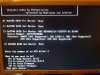
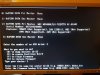
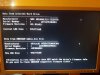
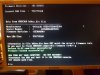
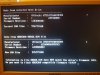
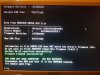
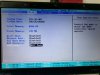
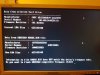
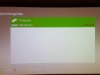
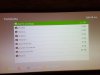
Have now received the WD3200BEVT and carried out the flash with the same PC. Date of the hdd 26 April 2010. As you can see in the pictures, it worked just fine. Then install the hard drive in the Xbox 360 and enter the formatted serial number. (See photos) I also installed a game to test everything goes, no problems. Will also test a WD5000BEVT if there is.
Have now received the WD3200BEVT and carried out the flash with the same PC. Date of the hdd 26 April 2010. As you can see in the pictures, it worked just fine. Then install the hard drive in the Xbox 360 and enter the formatted serial number. (See photos) I also installed a game to test everything goes, no problems. Will also test a WD5000BEVT if there is.
Have now received the WD3200BEVT and carried out the flash with the same PC. Date of the hdd 26 April 2010. As you can see in the pictures, it worked just fine. Then install the hard drive in the Xbox 360 and enter the formatted serial number. (See photos) I also installed a game to test everything goes, no problems. Will also test a WD5000BEVT if there is.
Good night. My name is Luiz, I'm Brazilian and I don't master English but Google has been helping me a lot.
I registered to thank you for the excellent tutorial. I was wondering if you could solve a doubt and a problem I've been facing.
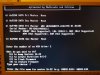
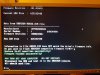
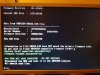
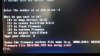
I did in a WD5000LUCT manufactured in 2019, everything went well, however, I got a 320gb and wanted to return the 500gb to normal tin. When I try to restore the firmware from this size error, written in red (image 1).
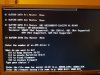
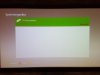
When I first did it, partitions 0.2 and 3 were not created... so I used the option [C]] and everything went well, works on Xbox but gave this error in green (image 2). Would that be a problem? The error appeared after I restored partition 2!!!
Could someone help me restore this HD to re-use it on PC?
ps. I have the backup of the original firmware of the hd WD5000LUCT made by HDDHACKR itself.
ps2. HD WD5000LUCT converted always worked great on xbox 360!