

InsaneNutter
Resident Nutter
If you have a slim it can only be an rgh. You probably want to load Xell and flash from there to be safe on a slim.
Story
Get nand dump (7371) falcon (cb5771) and cpu key to pc, then i accidentally made RGH 1 image with wrong dash version 14699 and flashed it to xbox.
Started box and dash lauch ok, but xex laucher doesn't work. I made more mistakes, updated dash to 9199 (because i tried usb xex stick) but it doens't see injected xex.
after update to 9199 i forgot to take 9199 orginal nand dump to pc. Now i cannot made 9199 retail or pached dump because Jrunner always says missing ini files or missing cp. files.
tried again with my orginal 7371 dump, patched it to
many versions like 14699, and others. There was 1 bad sector so i used Demon Write in Jrunner and this remapped nand. Started box but always get stuck in 360 screen, only what works is home button and i can navigate guide options.
Downloaded dashboard update 14699 to usb stick. But always get error when tried update dash.
Also tried to patch with rawimage, always stuck in screen.
Sorry about my english.
Thanks for help.

 `I only wanted to update to the dashboard 3.06 to match Fsd 3 from 'mod scene' and read it's best to update everything, Now reading this an that an that an this I'm lost
 If anyone needs me I'll be sat in the corner trying to avoid eye contact *-)
 ....now I've caught up with the '360' and you can give it a quick edit or something because there is so many different tutorials, updates, dashboards, settings (e.g like ya mac address for 'xkai link''), hacks etc that it can be a bit over kill to be honest ....that along with the fact that most tutorials just plough straight into it without explaining the very basics.
I think I might write a 'total noob' tutorial and explanation sometime this week ....you know from a noob to a noob kinda thing ....now I've caught up with the '360' and you can give it a quick edit or something because there is so many different tutorials, updates, dashboards, settings (e.g like ya mac address for 'xkai link''), hacks etc that it can be a bit over kill to be honest ....that along with the fact that most tutorials just plough straight into it without explaining the very basics.


From what you say you might have the wrong CPU key, i would power on the console with the eject button to boot Xell and double check the CPU key, and of course dump the consoles nand at the same same time, since you will need this to update anyway.
Dont generate a new nand with the incorrect cpu key.
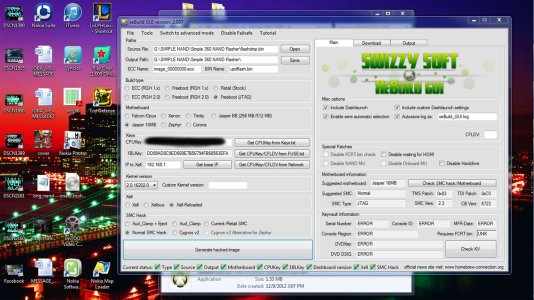
You need to flash your backed up nand with a USB nand flasher soldered to the motherboard, something like the Nand X will do this fine. Thats the only way to recover from a bad flash.





