
You are using an out of date browser. It may not display this or other websites correctly.
You should upgrade or use an alternative browser.
You should upgrade or use an alternative browser.
Hack a 250gb, 320gb or 500gb Sata harddrive to work in the Xbox 360 and Xbox 360 Slim
- Thread starter InsaneNutter
- Start date

I have hdd 500GB WD5000BPVT
But I used the 320GB firmware.
How can I upgrade from 320GB to 500GB?
There is any way to backup the games/saves/profiles, upgrade the firmware and restore them to use all 500GB?
-- UPDATE --
I used PBDE to backup to Image
then I upgraded the firmware, and when I tested in xbox
Then I format it and the Xbox recognized the HD and showed the 460GB empty \o/
-- here I need help --
Because when I restored the image created with PBDE from 320GB HD, the Xbox didn't recognize the external HD
And I can't extract the data folder mounting the .bin file in PBDE
I just need to to restore the image
But I used the 320GB firmware.
How can I upgrade from 320GB to 500GB?
There is any way to backup the games/saves/profiles, upgrade the firmware and restore them to use all 500GB?
-- UPDATE --
I used PBDE to backup to Image
then I upgraded the firmware, and when I tested in xbox
Then I format it and the Xbox recognized the HD and showed the 460GB empty \o/
-- here I need help --
Because when I restored the image created with PBDE from 320GB HD, the Xbox didn't recognize the external HD
And I can't extract the data folder mounting the .bin file in PBDE
I just need to to restore the image
Last edited:
srikanthlives
New Member
- Joined
- Nov 23, 2014
- Messages
- 2
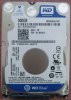
I have successfully flashed WD 500GB Blue, Model# WD5000LPVX using HDDHackr 1.40 without any problem.
Just to share more details...
* Had to select "Large" as SATA Operation mode (from "Auto" mode) while flashing the HDD on PC. No other options on my MoBo.
* Formatted USB drive with FAT32 file system. But it worked without any issue.
* After flashing, connected HDD in XBox and formatted it using Xbox Dashboard function.
Thanks to InsaneNutter, Rick and johnscrub. Appreciate your help guys.
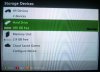
Attached below is Recovery/Undo file (generated by HDDHackr v1.40) for WD5000LPVX HDD.
I have a WD 500GB Blue, Model#WD5000LPVX. I have flashed it using HDDHackr 1.4 and it doent show any errors, I can even see the Drive got changed to Hitachi.
But, when I place it in my xbox, my xbox doesn't recognize it.
Can you help me identify any clues to help why my xbox doesn't rcognize it. Mine is XBOX 360 E Version with 4GB

Rick
Veteran
Try running hddhackr again and using the create partitions option.I have a WD 500GB Blue, Model#WD5000LPVX. I have flashed it using HDDHackr 1.4 and it doent show any errors, I can even see the Drive got changed to Hitachi.
But, when I place it in my xbox, my xbox doesn't recognize it.
Can you help me identify any clues to help why my xbox doesn't rcognize it. Mine is XBOX 360 E Version with 4GB
LordKratos
New Member
- Joined
- Nov 28, 2014
- Messages
- 1
I know this is a dumb question but how do I connect the hard drive to my laptop??

InsaneNutter
Resident Nutter
You need to open your laptop, disconnect your laptops hard drive, then connect the drive you want to hack. After that boot hddhackr from a usb flash drive and hack the drive.
Sorry if the info in already in the thread, it's quite long and hard to sift through.
After upgrading to an official 500GB drive, I decided it was a good idea to secure erase (DBAN) my old official 250GB drive. Little did I know it would render it unrecognizable by the 360 and thus unsellable on Craigslist.
So can I restore it to factory condition? Will there be any catches? (can it be taken online?) Also can I do this with the official transfer cable? Did I even erase the original firmware, is that the problem?
After upgrading to an official 500GB drive, I decided it was a good idea to secure erase (DBAN) my old official 250GB drive. Little did I know it would render it unrecognizable by the 360 and thus unsellable on Craigslist.
So can I restore it to factory condition? Will there be any catches? (can it be taken online?) Also can I do this with the official transfer cable? Did I even erase the original firmware, is that the problem?
InsaneNutter
Resident Nutter
Unfortunately i've not seen anyone having any luck with restoring the security sector on an official hard drive.
Unfortunately i've not seen anyone having any luck with restoring the security sector on an official hard drive.
Arg, so annoying. Is that for sure why it isn't detectable now? Or could it be that other issue covered in the other guide? I just did a standard DBAN wipe.
I suppose at the least I can crack it open and use as a regular HDD. Or maybe Microsoft would repair it for cheap
InsaneNutter
Resident Nutter
If the drive works in a PC, however not on the 360, then the drive has no security sector which is required for the 360 to recognise the drive as an official Microsoft hard drive.
If you read back through this thread many other people have unfortunately done similar to yourself and i don't recall anyone having fixed it. I dont think Microsoft would repair it for you as they dont like users tampering with accessories, however you could try, no harm in that.
If you read back through this thread many other people have unfortunately done similar to yourself and i don't recall anyone having fixed it. I dont think Microsoft would repair it for you as they dont like users tampering with accessories, however you could try, no harm in that.
If the drive works in a PC, however not on the 360, then the drive has no security sector which is required for the 360 to recognise the drive as an official Microsoft hard drive.
If you read back through this thread many other people have unfortunately done similar to yourself and i don't recall anyone having fixed it. I dont think Microsoft would repair it for you as they dont like users tampering with accessories, however you could try, no harm in that.
Well thanks anyways for the help. You'd figure there'd be more warnings about this thing around the internet. A rare fuckup for me. Sigh. Ciao
I finally had the chance to try again yesterday. Finally got it to work by a) using a SATA port on a different controller - it turns out the last two on my motherboard proper are malfunctioning; b) doing manual editing in Hex Workshop while in a good SATA port; c) running HDDHackr again, from the top - flashing drive, modifying IntelliPark, and creating the partitions.Thanks for addressing me, but nope, this is all with IDE mode set in the BIOS, with no other hard drives connected to the system. I can try it on a different motherboard and see if that makes a difference. Will keep this thread posted.
One thing I noticed was that simply pressing enter at the prompts in HDDHackr doesn't auto-fill them with a default valud for your filenames, like HDDSS.bin. You have to actually type this and any other file name in. Or else it WILL give you a checksum error. That I was still getting this even after switching to a working SATA port drove me nuts!
Another thing is that once the partitions are created, the program doesn't exit after saying that it has successfully created the partitions. At that point, it is safe to shut off your PC.
Thanks again to InsaneNutter for this guide...$50 in my pocket

Organized_Chaos
New Member
- Joined
- Dec 6, 2014
- Messages
- 1
Apologies if this has already been answered - it looks like there are over 70 pages to this thread. 
I have the 4GB Xbox Slim. If I do this with a 320GB hard drive, will I need to worry about getting the xbox classic emulator and my downloaded content restored to the new drive? Or is all that stored internally on these Xbox Slims? If that's the case, will it look like I have two different storage devices when I turn the Xbox on? Will it ask me which device to save stuff to when I download a game from the marketplace?
I have the 4GB Xbox Slim. If I do this with a 320GB hard drive, will I need to worry about getting the xbox classic emulator and my downloaded content restored to the new drive? Or is all that stored internally on these Xbox Slims? If that's the case, will it look like I have two different storage devices when I turn the Xbox on? Will it ask me which device to save stuff to when I download a game from the marketplace?
Was anyone successful in flashing a WD5000LPVX-08V0T? I have one, and seem to be having the same problems mentioned earlier in the thread.
I flashed successfully with HDDHackr 1.4, and xbox does not recognize the drive. I took it out of the xbox, went back into HDDHackr, and executed the create partitions option. This appeared to work successfully, but when I plugged the drive in the xbox, it's still not recognized.
I can see that the drive is spoofed as a Hitachi, and the firmware version is the same as in the HDDSSBIN file. However, if I go to the flash screen, the serial number is not the same. HDDHackr is still telling me that the info on the drive does not match the HDDSSBIN file (which I think it should, after being flashed the first time, right?).
For those that have this drive, how did you make it work? If you didn't please tell me, so I can try to source a new drive to try this again. So frustrating, for what should be a simple flash...
Thanks in advance!
UPDATE:
I tried re-flashing the WD5000LPVX-08V0T on multiple machines, with multiple SATA chipsets. No matter what I tried, the drive would not be recognized by the xbox.
I then went back to the store (Microcenter), and bought a retail, boxed drive (the bare drive was from Newegg). The retail drive had a model #WDBMYH5000ANC-NRSN on the bottom of the box, and the box was labeled as a Laptop "Everyday Storage" drive, but had a blue sticker on the bottom. The clerk was kind enough to open the box for my before I bought it, as I knew the model number did not refer to the drive. Sure enough, inside the box was a different version of the WD5000LPVX. This model number was WD5000LPVX-22V0TT0. I took this drive home and put it in the same PC I tried to flash the 08V0T on. I ran hddhackr, flashed the drive, popped it into the xbox, and what a surprise -- it was immediately recognized.
So, I conclude that the problems had nothing to do with my setup or SATA configuration, but with the specific drive. Given my experience (and that of others on this thread), I would NOT buy a WD5000LPVX-08V0T, as it is NOT compatible with hddhackr. Other versions of this drive are working, so I would check this thread to make sure you have a version that has worked for someone. As I said above, the WD5000LPVX-22V0TT0, as found in the retail, boxed version of the 500GB blue drive, is confirmed as working (at least by me).
I hope this helps someone else from making the same original mistake I did.
I flashed successfully with HDDHackr 1.4, and xbox does not recognize the drive. I took it out of the xbox, went back into HDDHackr, and executed the create partitions option. This appeared to work successfully, but when I plugged the drive in the xbox, it's still not recognized.
I can see that the drive is spoofed as a Hitachi, and the firmware version is the same as in the HDDSSBIN file. However, if I go to the flash screen, the serial number is not the same. HDDHackr is still telling me that the info on the drive does not match the HDDSSBIN file (which I think it should, after being flashed the first time, right?).
For those that have this drive, how did you make it work? If you didn't please tell me, so I can try to source a new drive to try this again. So frustrating, for what should be a simple flash...
Thanks in advance!
UPDATE:
I tried re-flashing the WD5000LPVX-08V0T on multiple machines, with multiple SATA chipsets. No matter what I tried, the drive would not be recognized by the xbox.
I then went back to the store (Microcenter), and bought a retail, boxed drive (the bare drive was from Newegg). The retail drive had a model #WDBMYH5000ANC-NRSN on the bottom of the box, and the box was labeled as a Laptop "Everyday Storage" drive, but had a blue sticker on the bottom. The clerk was kind enough to open the box for my before I bought it, as I knew the model number did not refer to the drive. Sure enough, inside the box was a different version of the WD5000LPVX. This model number was WD5000LPVX-22V0TT0. I took this drive home and put it in the same PC I tried to flash the 08V0T on. I ran hddhackr, flashed the drive, popped it into the xbox, and what a surprise -- it was immediately recognized.
So, I conclude that the problems had nothing to do with my setup or SATA configuration, but with the specific drive. Given my experience (and that of others on this thread), I would NOT buy a WD5000LPVX-08V0T, as it is NOT compatible with hddhackr. Other versions of this drive are working, so I would check this thread to make sure you have a version that has worked for someone. As I said above, the WD5000LPVX-22V0TT0, as found in the retail, boxed version of the 500GB blue drive, is confirmed as working (at least by me
).I hope this helps someone else from making the same original mistake I did.
Last edited:
Attachments
Rick
Veteran
It might be possible using the manual way,there is little success. Most wd drives work fine with hddhackrÌ still can't believe after all these years of the Slim, we still can't use Seagate 320GB on a retail
Have I missed something or is that still the case?
HDDHackr still doesn't work for me, can i try anything else?
You can have a look at Harcrofts tutorial on How to Flash Your HDDSS.bin in Windows. Read the tutorial very carefully and do so at your own risk.
Hi. New here. If anyone could be so kind, there are 71 pages of reading and after 3 or 4 my head is warped.
So as not to have to read 67 more... please, as this may have already been answered...
If I have a new xbox 360S 250gb drive already formatted in the console, and I want to copy/bu the data from the old 250gb drive to the new one, what's the easiest or secure way to do this. My "only" purpose is to be able to restore if/when hd fails to save countless hours or re-installing from discs, updates/patches, wear and tear on the cd drive etc;.. I don't care that the drive that my games are backed up to is playable or to use in another console, only to have the data in case of hd fail and be able to restore hd to hd.
What a pisser MS doesn't offer a solution for this necessary option. Seems they don't give a crap about you spending your whole weekend re-installing everything and hope none of your disc have tiny scratch that would prevent an install.
Even if you do a transfer (their solution) even a new HD could fail in 5 minutes or whenever.
Thanks in advance,
Joe
So as not to have to read 67 more... please, as this may have already been answered...
If I have a new xbox 360S 250gb drive already formatted in the console, and I want to copy/bu the data from the old 250gb drive to the new one, what's the easiest or secure way to do this. My "only" purpose is to be able to restore if/when hd fails to save countless hours or re-installing from discs, updates/patches, wear and tear on the cd drive etc;.. I don't care that the drive that my games are backed up to is playable or to use in another console, only to have the data in case of hd fail and be able to restore hd to hd.
What a pisser MS doesn't offer a solution for this necessary option. Seems they don't give a crap about you spending your whole weekend re-installing everything and hope none of your disc have tiny scratch that would prevent an install.
Even if you do a transfer (their solution) even a new HD could fail in 5 minutes or whenever.
Thanks in advance,
Joe
It might be possible using the manual way,there is little success. Most wd drives work fine with hddhackr
No matter got me a WD5000BEVT just need to find a matching HDD file now!!
InsaneNutter
Resident Nutter
Hi. New here. If anyone could be so kind, there are 71 pages of reading and after 3 or 4 my head is warped.
So as not to have to read 67 more... please, as this may have already been answered...
If I have a new xbox 360S 250gb drive already formatted in the console, and I want to copy/bu the data from the old 250gb drive to the new one, what's the easiest or secure way to do this. My "only" purpose is to be able to restore if/when hd fails to save countless hours or re-installing from discs, updates/patches, wear and tear on the cd drive etc;.. I don't care that the drive that my games are backed up to is playable or to use in another console, only to have the data in case of hd fail and be able to restore hd to hd.
What a pisser MS doesn't offer a solution for this necessary option. Seems they don't give a crap about you spending your whole weekend re-installing everything and hope none of your disc have tiny scratch that would prevent an install.
Even if you do a transfer (their solution) even a new HD could fail in 5 minutes or whenever.
Thanks in advance,
Joe
The data transfer cable is the easiest / fastest way, however that will not copy across installed games (which sucks as installing multiple games takes forever i know)
You can extract all the installed games to your PC with Party Buffalo Drive Explorer then inject them in to the new hard drive. It's not a fast process, but probably quicker then installing all your games one by one again.
About Digiex
Digiex is a technology and gaming forum, founded in 2004 by InsaneNutter and Nimrod.
Digiex has served the internet community with breaking news, detailed guides, exclusive downloads and a popular discussion forum. A small, friendly community of like‑minded people has developed over the years. People are encouraged to register and participate in on‑going discussions.
Get Social



