
You are using an out of date browser. It may not display this or other websites correctly.
You should upgrade or use an alternative browser.
You should upgrade or use an alternative browser.
Xbox 360 Jtag or RGH Hack Easy Update to Dashboard 17502 with XeBuild GUI
- Thread starter InsaneNutter
- Start date
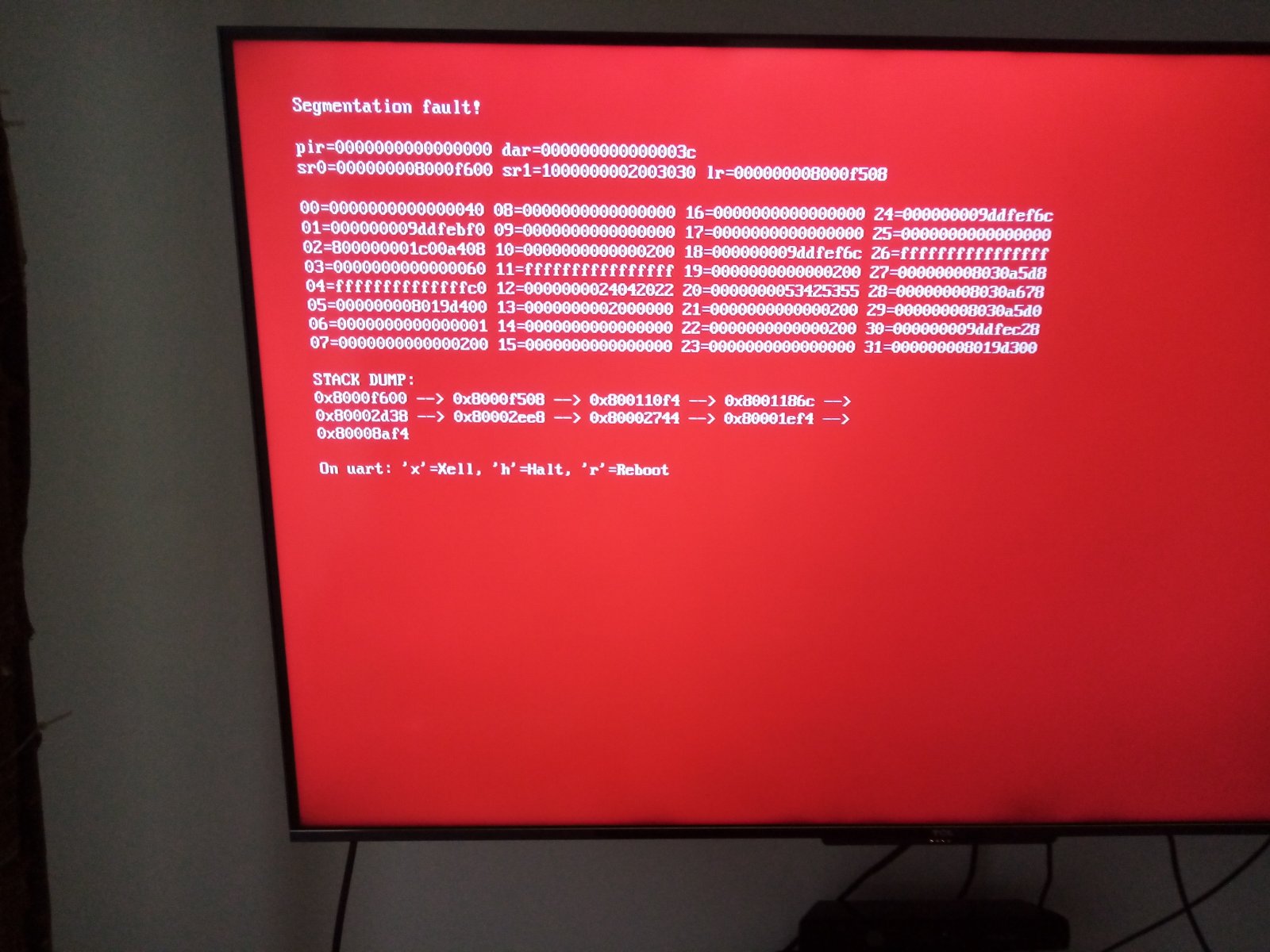
Hello again, today I finally got to try and update the Xbox 360, but I got two situations, the first when I tried to launch Xell i couldn't do it, either by pressing the eject button or going in the file manager on Freestyle 3, I tried to Download only the xell from this link: https://digiex.net/threads/xell-lau...pport-and-a-quickboot-shortcut-download.9158/ , without the demos shortcut but i couldn't launch xell using this one as well. The other situation is when I tried to dump the NAND this error appeared very fast on the screen
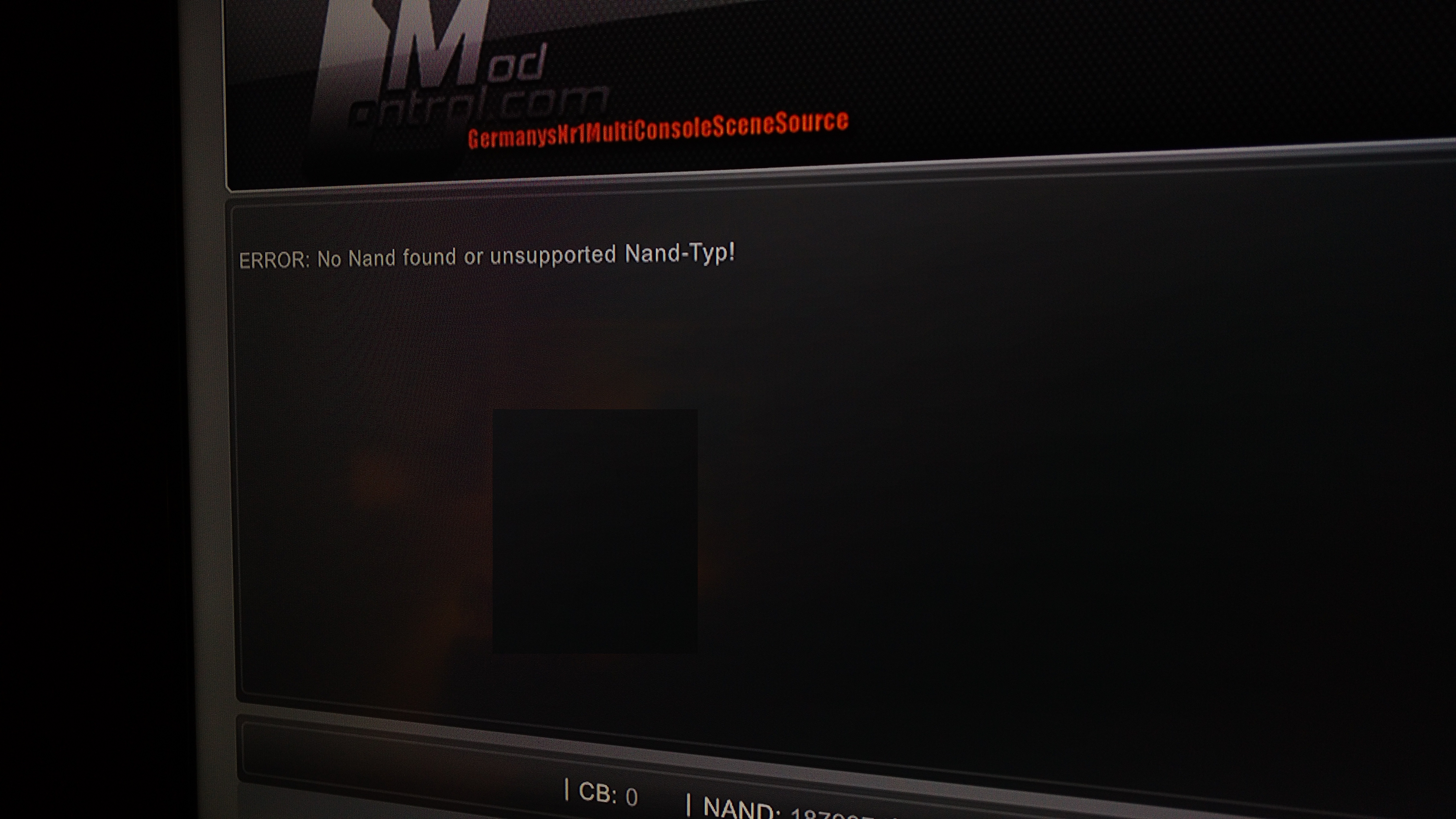
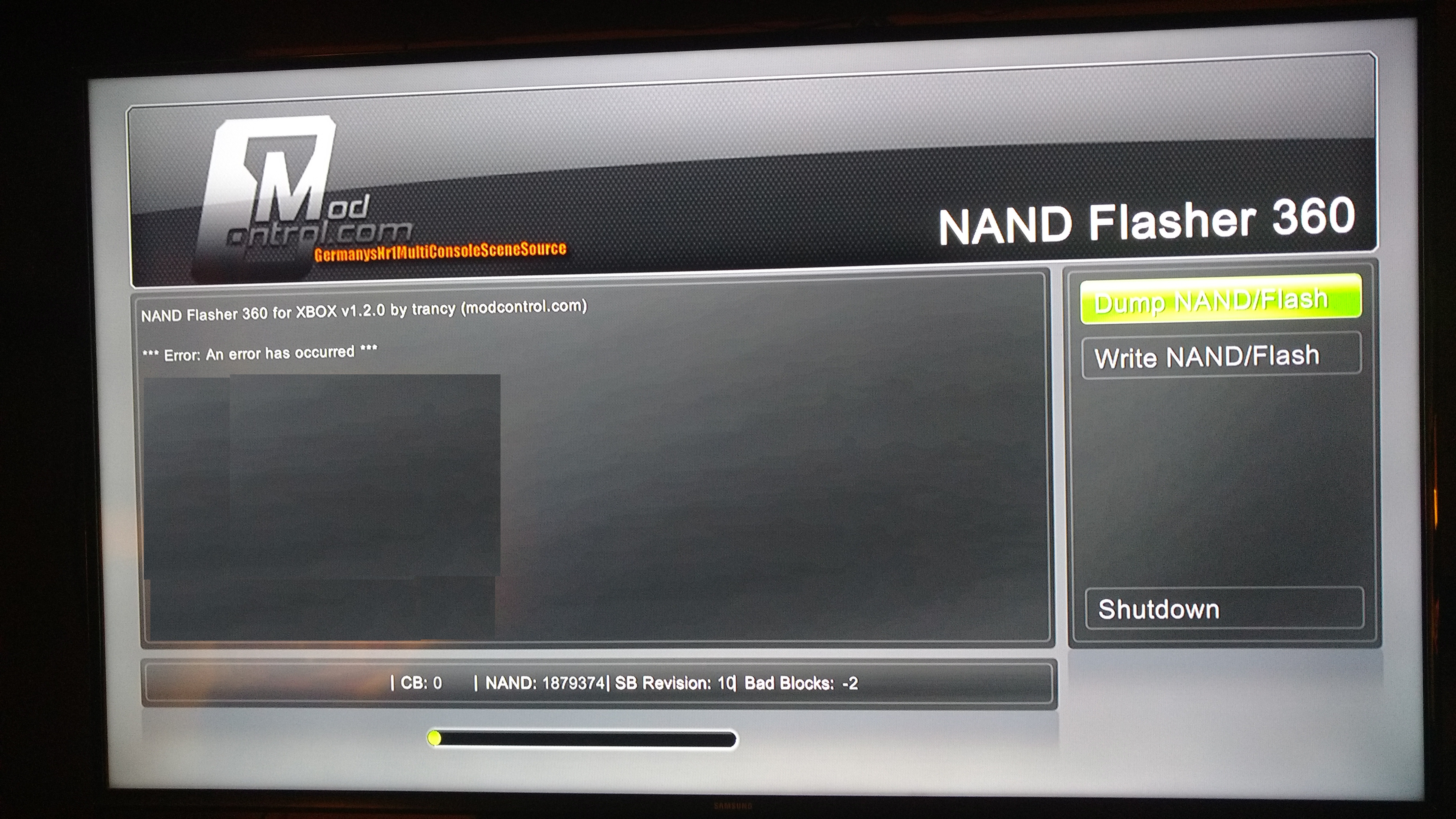
After this the screen went to the normal state when you launch the NAND flasher but with an error message:
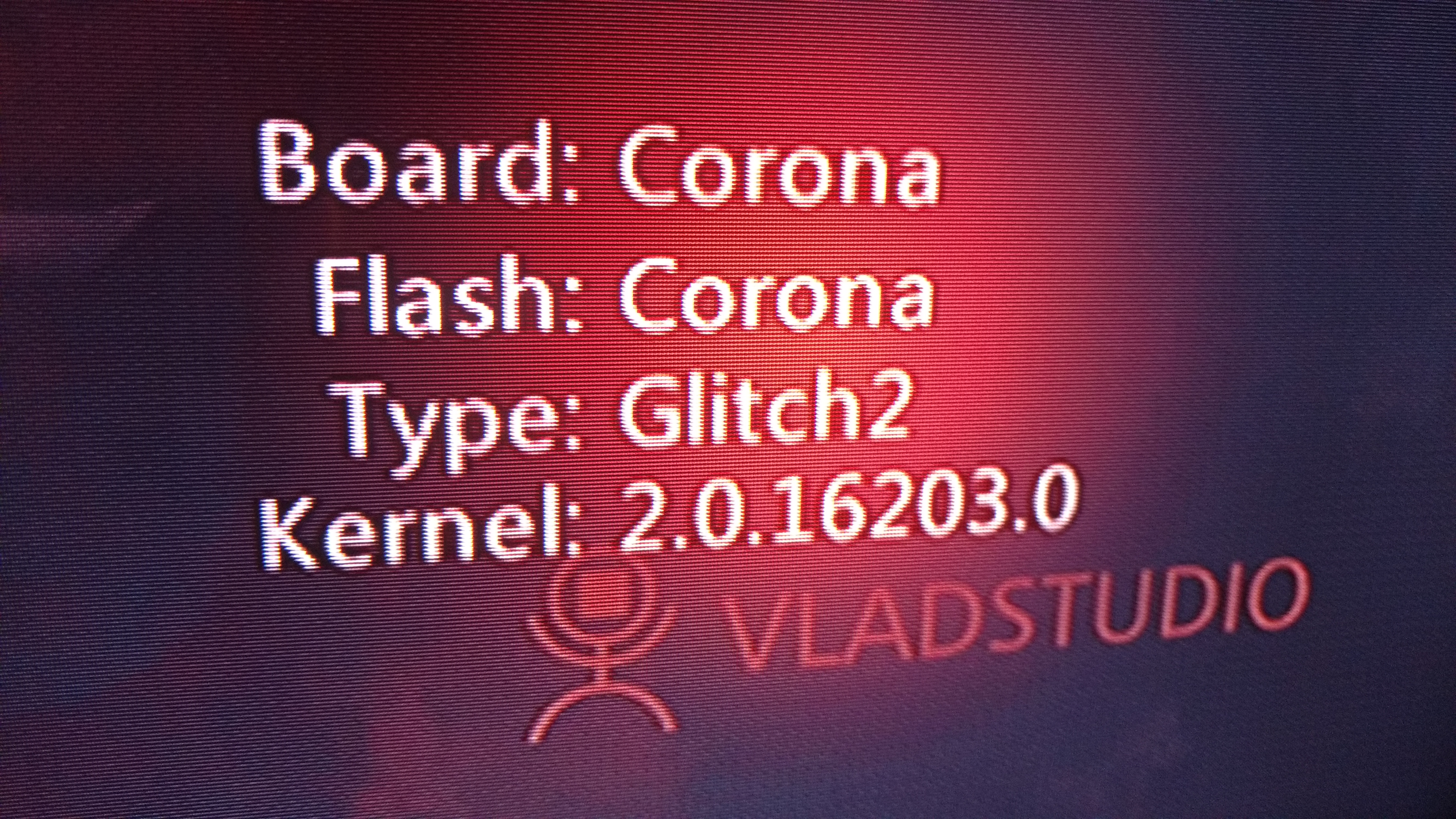
I got some info on the dashlaunch, maybe it will help to know what's going on:
Please help me solve these issues!!
After this the screen went to the normal state when you launch the NAND flasher but with an error message:
I got some info on the dashlaunch, maybe it will help to know what's going on:
Please help me solve these issues!!

InsaneNutter
Resident Nutter
You have a Corona revision of the 360 which is quite new compared to the older revisions of the 360, Nand Flasher 360 doesn't appear to support these consoles. However if you can get in to Xell, you can still dump your nand.
I suspect Xell is actually running when you power the console on with the eject button? i presume you are just getting a blank screen? if so and you have a network cable connected your router should give the Xbox 360 an IP address, so you can access the console via a web browser using this ip address (for example http://192.168.1.111) to obtain the CPU key, and so on.
I suspect Xell is actually running when you power the console on with the eject button? i presume you are just getting a blank screen? if so and you have a network cable connected your router should give the Xbox 360 an IP address, so you can access the console via a web browser using this ip address (for example http://192.168.1.111) to obtain the CPU key, and so on.
How can I know if the console is running the Xell ? I never saw the Xell screen before and never used it. I connected the VGA cable like you said in the tutorial for the first time in the console to see if I could see the Xell screen but nothing happened. Is there some configuration to get Xell running, like a specific place to put it in the Xbox 360 storage devices ? My Xbox 360 is connected via WiFi in the network, does that work too or do I have to get a cable to do what you mentioned ?
InsaneNutter
Resident Nutter
You need to be connected via Ethernet, WiFi won't work.

Asjad
Member
- Joined
- Apr 21, 2022
- Messages
- 14
bro i did thus but now my cosole has red light on xbox button and cant work , is it red ring of death?Power the console on with the eject button, Xell should load. Ensure the network cable it connected, then you should see an ip address in the network config:
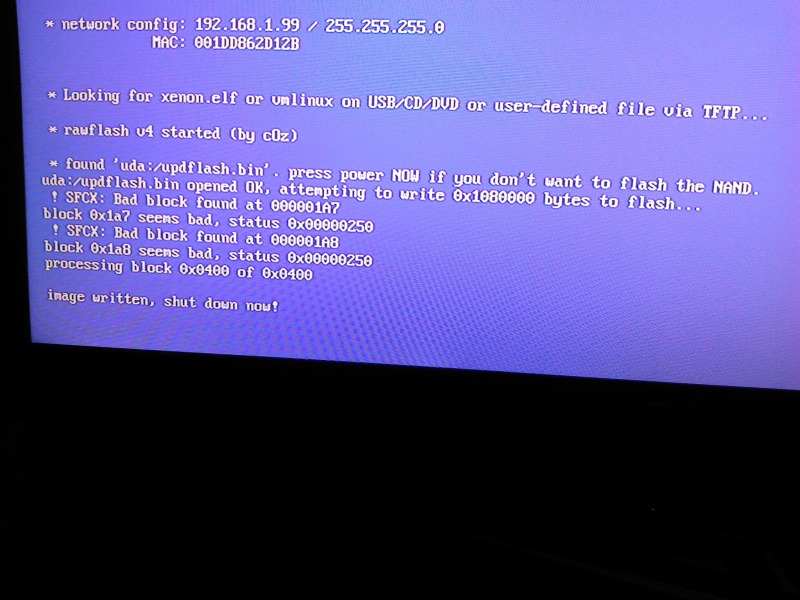
Using your web browser on your PC go to http://192.168.1.99 or what ever your consoles ip address is, you should be able to download your "raw flash" from the console.
Do that and use it as your source nand to build a new image, after that has done flash it to the console as before and hopefully that should stop it from freezing.
Asjad
Member
- Joined
- Apr 21, 2022
- Messages
- 14
bro i got red light after restarting my console what should i do? the error code is 1013This guide aims to cover everything required to update your Jtagged / Reset glitch hacked (RGH) Xbox 360 to the latest 17502 Kernel / Dashboard. I have tried to make the guide as detailed as possible so people of all skill levels can follow it successfully. It might look complicated at first, however the process is pretty simple. I have just included a lot of photos / screenshots to try and cover everything from start to finish.
This is an update of my older tutorial, using the latest applications and dashboard as of May 2016.
I have provided all the tools / files you will need to complete this guide, however there are a few things will you need to provide yourself as they are unique to your console, these are:
The four main parts of this guide are:
- A dump (copy) of your current Freeboot nand
- Your CPU key
- How to dump (backup) your current Freeboot nand
- How to findout my consoles CPU key
- Building your new nand
- Flashing the new nand to the Xbox 360.
Quick Note: If you are a Jtag user upgrading from XBR 8955 you would be best off upgrading to FreeBoot 9199 first, people have had a lot more success updating to 9199 first, then going to the latest 16 as covered in this tutorial. If you are on 8955 you can follow this tutorial here to update to 9199. If you are on 9199 or higher just proceed with this tutorial.
1. How to dump (backup) your current Freeboot nand:
We are going to take a copy of your consoles existing nand, xeBuild will now extract your current smc.bin, kv.bin and smc_config.bin straight from this backed up nand, it should also mirror any existing block remappings from the to the new nand you are building.
This means you do not need to provide any additional files other than a backup or your nand, or worry about remapping bad blocks your self.
Basically if you have a working Jtag you should be able to update very easily by following this guide.
To dump (copy) your nand from the Xbox 360, we will use a program called “Nand Flasher 360”. Note: This will work for Jtags, if you have a RGH console you would be advised to use your original nand dump, I have been informed not doing so will cause some people problems.
Download Nand Flasher 360
When you have Nand Flasher 360 downloaded, unzip it, then copy it to your USB drive

Connect the USB drive to your console and load Nand Flasher 360 with your favourite file manager.

When Nand Flasher 360 has loaded select Dump Nand / Flash on the right menu, the nand should then dump to your USB drive as a file called orig_nand.bin

Note: If you are unsure if your console is an Xenon, Zypher, Falcon, Jasper 16mb, Jasper 256mb or Jasper 512mb now would be a good time to make a note of it. As you can see in the image below the revision of
the console and nand size is displayed, you will need to know this later on:

Once the dump has finished you can connect the USB drive to your computer and copy the orig_nand.bin off it.

2. How to findout my consoles CPU key:
You should already know your consoles CPU key, however if you do not it's pretty easy to find it out.
Fuse set example:
- First: Connect the 360 to the TV with the Component or VGA cable (Xell / Xellous do not not work with HDMI so you will just get a black screen)
- Power on the console with the DVD eject button
- Have a camera ready
- Wait until the fuse sets are shown
- Take a photo quickly as they will usually scroll off the screen fast
- Combine fuse sets 3 and 5 or 4 and 6, this will give you the consoles CPU key

(Image found on Google)
Take line 3 and 5:
3= E42D681ED06A6D1C
5= 1FFD8E48C56A2058
So my CPU Key is: E42D681ED06A6D1C1FFD8E48C56A2058
Now you have your current nand and CPU key we can build an updated nand.
3. Using XeBuild and building your new nand:
You will need to download the following:
xeBuild GUI 2.098 - This will build the latest 17502 dashboard for your Jtag or RGH hacked Xbox 360.
Download, unzip and then load up XeBuild. You should be presented with the screen as shown below:

You have 3 steps to follow now:
1) Open your existing nand, this is the nand you dumped earlier in this tutorial with Nandflasher 360
2) Enter your CPU key, all the settings you need should be read from your existing nand.
3) Generate a hacked image
Note: You should have a green check in each of the box's at the bottom of the Xebuild application

After the new nand is built when this is shown press "Cancel" so you can see the build log:

As shown in the screenshot below:
1) Check the build log for any errors
2) Your newly built nand will be here
3) Name of your newly built nand

4. Flashing the new nand to the Xbox 360:
Note Jtagged consoles can flash the Nand from the Dashboard with Nand Flasher 360, RGH users must flash from Xell.
Jtagged Xbox 360 Nand Flashing:
Download Nand Flasher 360 if you have not already, and unzip this to your USB drive.
Now copy the updflash.bin you just built to the USB drive.

Now we need to load NAND Flasher 360 on the console, do so using your favourite file manager, XEX Menu or FreeStyle Dash will work fine.
Simply browse the files on the USB memory stick and load Nand Flasher 360:

On the right menu select “Write NAND / Flash”

This will bring up a file browser, select the USB drive

Now select your updflash.bin, you will be warned not to press anything on the console as it is flashing.

Press ok and the nand will be flashed to the console.

After the flashing has finished it will be verified, all been well your nand will have been flashed successfully.
Press the on-screen button “shutdown” to turn the console off.

Unplug the power brick and leave it disconnected for two minutes (or turn the 360 off at the plug)
Re connect the power brick, power the console on and if everything has gone ok your console should boot in to the 17502 Dash.
RGH Xbox 360 Nand Flashing:
Copy the updflash.bin you just built to the USB drive.
Now power the Xbox 360 console off and plug your USB drive in to the Xbox 360's USB port. Next power the Xbox 360 on with the eject button. This should launch Xell.
As can be seen below the updflash.bin should be found on the USB drive and flashed to the consoles nand.

After the update has finished Unplug the power brick and leave it disconnected for two minutes (or turn the 360 off at the plug).
Re connect the power brick, power the console on and if everything has gone ok your console should boot in to the 17502Dash.
You can verify the console is on the 17502 by looking in system settings.
Thats it your console should be updated! good luck and if you have any questions I will do my best to answer.
5. FAQ:
How do I restore the avatar and kinetic data so i can use my kinect?
Restoring the avatars is simply a case of you running the official Microsoft 17502 update, only do this after you have upgraded to the 17502 dashboard using this tutorial. If you run an update on a Jtag with a higher dashboard than you are currently running you will find that you no longer have a Jtag.
The Xbox 360 Kinect Dashboard Update can be downloaded here
Simply extract the $SystemUpdate a Fat32 formatted USB drive, you will have to rename the update folder to $$ystemUpdate if you have installed DashLaunch. DashLaunch is installed by default if you follow this tutorial to the letter.

Just insert the USB stick in to the 360 and you will be asked to update, say yes and the 360 will re start and your avatars will be restored.
There you go, you now have the 17502 dashboard on your Jtag with working avatars.
How do i format my USB drive to Fat 32?
Go to My Computer, right click on the USB drive and select format

Select Fat 32 and Default allocation size, then press start.

After updating i can no longer play games from a DVD, how can i fix this?
When building your nand in XeBuild, towards the right hand side under the special patches menu check "disable fcrt.bin check", then re-buld and flash the nand. Games played from DVD should then work fine
Last edited:
InsaneNutter
Resident Nutter
Can you load Xell if you power the 360 on with the eject button?
Asjad
Member
- Joined
- Apr 21, 2022
- Messages
- 14
Y
Yes i can, and just wanted to tell that I have to old nand which I dumped into my usb and saved on my computerCan you load Xell if you power the 360 on with the eject button?
Asjad
Member
- Joined
- Apr 21, 2022
- Messages
- 14
I am in big trouble or can I get through this problem ?cuz I don’t think that there is some problem with my hardware it was running just fine and I always maintained my xbox and never like opened it myself, I just used to add games from online after jailbreaking it 1 year back , now I was trying to update it by ur method but this problem appeared and as soon as I write the new nand on Xbox and shutter it down, when I turned it on again this the error, I would really appreciate ur help I u can get me through this and just get my Xbox back to where it was and there are not of a lot technical experts in my city, I would really like ur help
InsaneNutter
Resident Nutter
As you can access Xell you should be able to put the old working nand on a USB drive like you did to update and restore that to the 360. It should at least work as before then.
Asjad
Member
- Joined
- Apr 21, 2022
- Messages
- 14
yh i did that thank u so much i really appreciate ur help.As you can access Xell you should be able to put the old working nand on a USB drive like you did to update and restore that to the 360. It should at least work as before then.
I could not get the Kinect to update for my Jtag Xbox 360. I followed the direction from the top of this thread. Everything went smoothly. However, when I get to the step "How do I restore the avatar and kinetic data so i can use my kinect?. I copied the $SystemUpdate to USB root and does not matter what I tried it does take an update and keep getting an pop up an update message per instruction. Here are the steps that I tried.
1. copy to both folders $SystemUpdate and $$SystemUpdate to a root folder of USB formatted to FAT32
2. Reboot system couple times. Everytime it recovers it pop up a message "A system update is required...."
3. I checked a storage option and I able to see the USB drive with the correct memory size
4. I finally run dashlaunch and from behavior I change the Noupdate to disable. After console restart the update start to pop up. If you can not get it to work check the NoUpdate make sure it set to disable. I have to do it multiple to get this setting to save. I'm still unsure how to get it to save.
I hope that help if you can not get it to take an update.
1. copy to both folders $SystemUpdate and $$SystemUpdate to a root folder of USB formatted to FAT32
2. Reboot system couple times. Everytime it recovers it pop up a message "A system update is required...."
3. I checked a storage option and I able to see the USB drive with the correct memory size
4. I finally run dashlaunch and from behavior I change the Noupdate to disable. After console restart the update start to pop up. If you can not get it to work check the NoUpdate make sure it set to disable. I have to do it multiple to get this setting to save. I'm still unsure how to get it to save.
I hope that help if you can not get it to take an update.
InsaneNutter
Resident Nutter
You can try powering on the console with the eject button, connecting an ethernet cable and downloading the nand as per the instructions here: https://digiex.net/threads/xbox-360...oard-17502-with-xebuild-gui.12895/#post-68858
The latest unofficial XeBuild version is here: xeBuild GUI 2.098 - 17559 GUI Nand Builder for Jtag / RGH Xbox 360 Consoles.
The latest unofficial XeBuild version is here: xeBuild GUI 2.098 - 17559 GUI Nand Builder for Jtag / RGH Xbox 360 Consoles.
You can try powering on the console with the eject button, connecting an ethernet cable and downloading the nand as per the instructions here: https://digiex.net/threads/xbox-360...oard-17502-with-xebuild-gui.12895/#post-68858
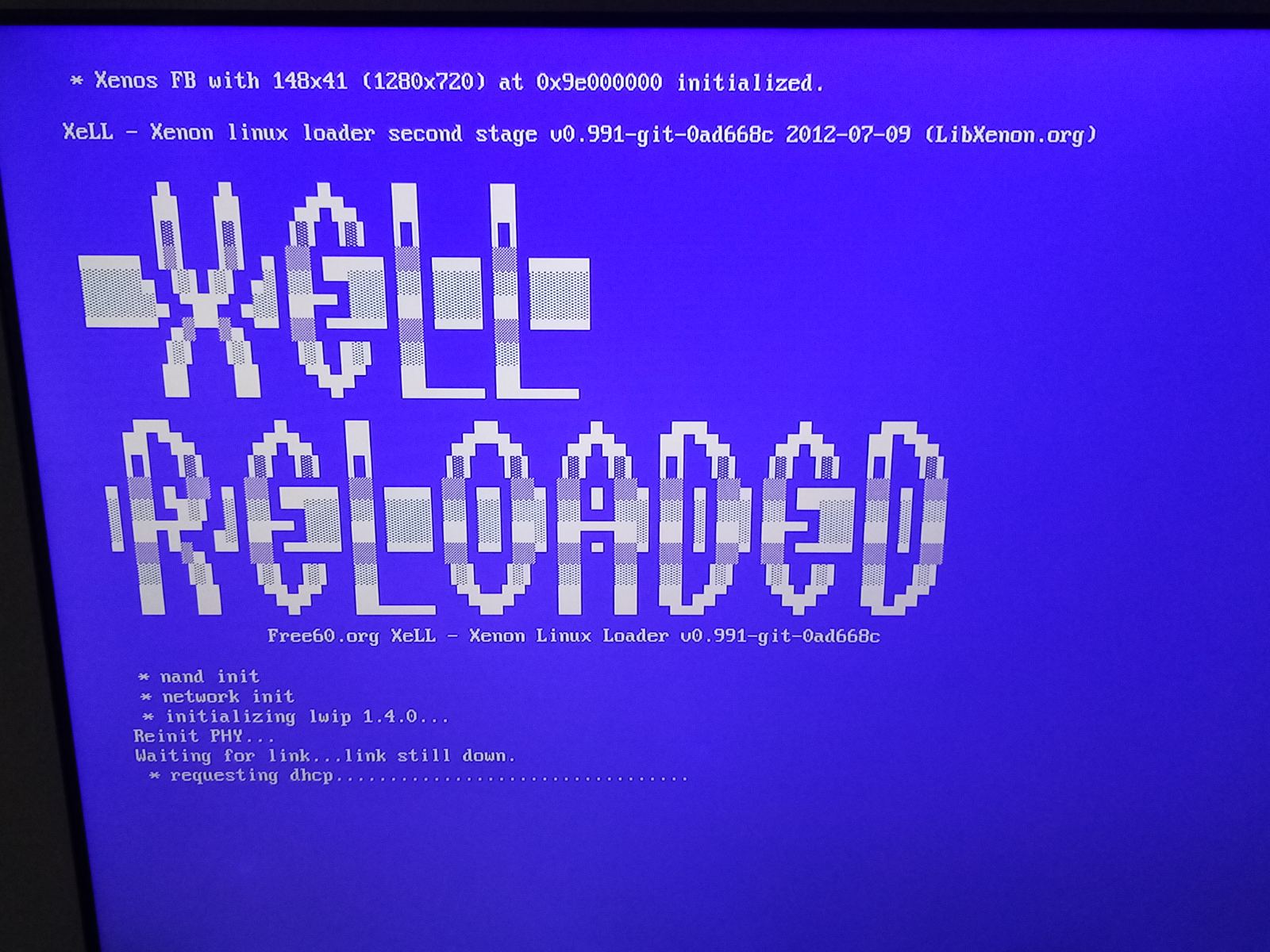
Hi Insane, I have followed the instructions posted in this thread and got this:
Attachments
InsaneNutter
Resident Nutter
You need to connect the 360 to your router with a network cable.
it was already conneted to my routerYou need to connect the 360 to your router with a network cable.
InsaneNutter
Resident Nutter
Its not getting an IP address, so you either have a problem with the network cable you are using, or the ethernet port on your 360 / router.
Similar threads

- Replies
- 230
- Views
- 267K
- Replies
- 112
- Views
- 148K
- Sticky
- Replies
- 33
- Views
- 202K
- Replies
- 174
- Views
- 201K

About Digiex
Digiex is a technology and gaming forum, founded in 2004 by InsaneNutter and Nimrod.
Digiex has served the internet community with breaking news, detailed guides, exclusive downloads and a popular discussion forum. A small, friendly community of like‑minded people has developed over the years. People are encouraged to register and participate in on‑going discussions.
Get Social



